

-

-

AppEsteem
Certified Software
-
Google
Safe Browsing
-
60 Days
Money-Back Guarantee
Duplicate Photos Deleter - Find & Delete Duplicate Photos
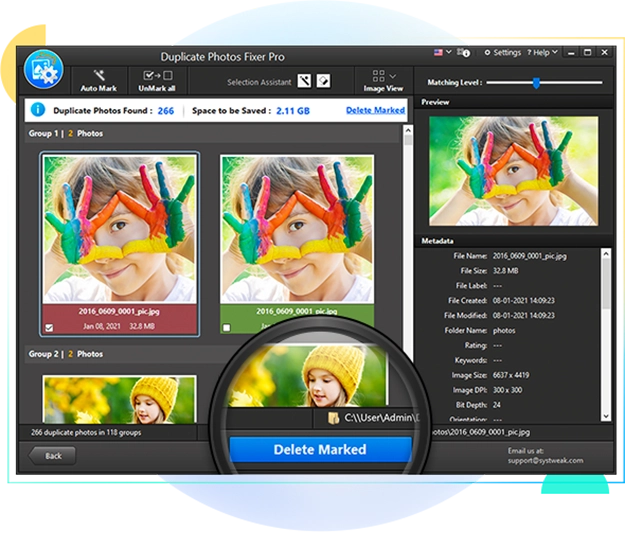
Duplicate Photos Fixer Pro is a powerful, easy-to-use duplicate photo finder tool. It eliminates the need to sift through thousands of images manually to find duplicate images. Simply launch the software, add photos/folders of your choice and run a scan. The app will find duplicate & similar images for you automatically. Use the auto-mark option to delete duplicate photos in a single click. What's more, the app can also find similar photos. Save time and manual effort with the best duplicate photo finder and remover and recover extra disk space easily.

Instant Duplicate Removal
Clear out duplicate & similar photos instantly. Reclaim your gallery without losing your favorite memories.

100% Accurate Scan Results
Duplicate Photos Fixer Pro uses an advanced scan algorithm to show you 100% accurate duplicate and similar photos.

Scan Drop Box
Delete duplicates from your Drop Box account. No need to buy more storage when you can free up space with Duplicate Photos Fixer Pro.

Preview Scanned Photos
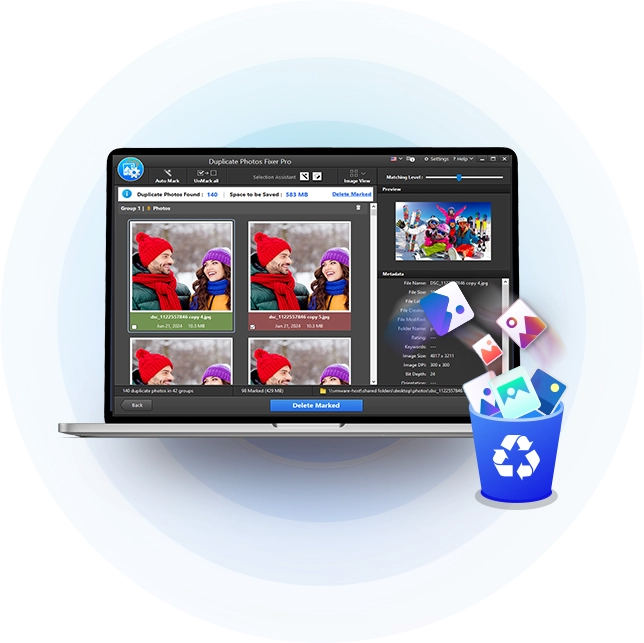
Preview scan results to easily compare and choose the duplicate photos you want to keep or delete.

1-Click Auto-Marking
Automatically mark duplicate photos for deletion while safely preserving your highest-quality shots.

Recover Extra Disk Space
Free up gigabytes of storage space by deleting all duplicate & similar looking photos instantly.

Group-Wise Results
View your results neatly categorized into groups so you can keep the best shots and trash the rest.

Organized Photo Gallery
Enjoy a clutter-free, sorted photo library where finding your favorite memories takes seconds, not hours.
Your Duplicate Photos Aren't Just Sitting on One Drive
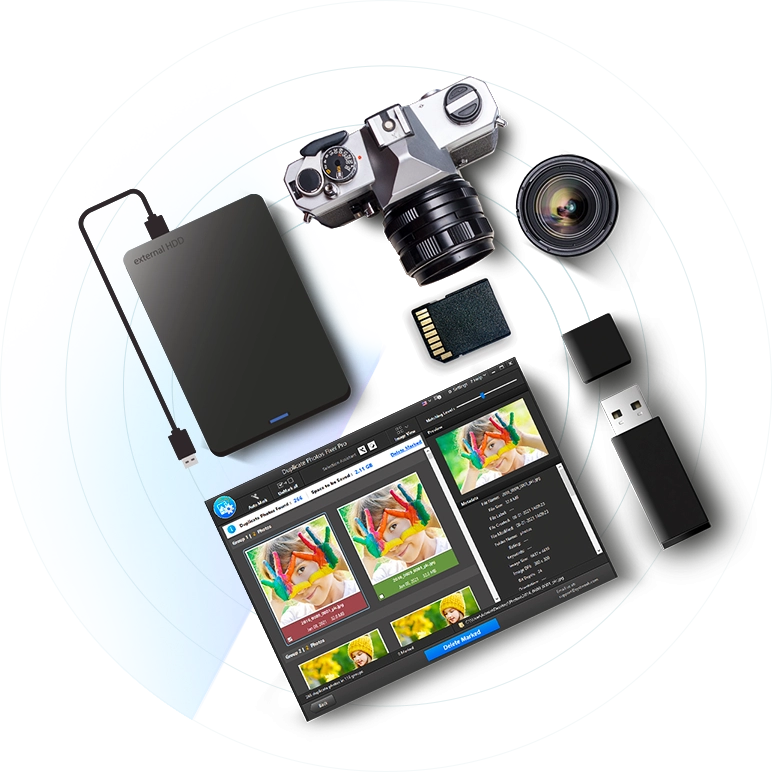
If your photos are spread across your system's internal drive, an external hard drive, an SSD, USB flash drives, memory cards, or network storage, finding duplicates one device at a time is a losing battle. This duplicate photo finder scans internal and external storage devices, so you don't have to copy everything into one place first. Connect your devices, run a scan, and reclaim storage space and organization across your entire photo collection — wherever it's stored.
For Windows 11, 10, 8.1, 8 and 7 (32 & 64 Bit)
"Storage almost full" - again. Your duplicate photos are the problem.
Duplicates pile up silently — from USB backups, PC migrations, external drive copies, and WhatsApp downloads that save a fresh file even when you already have the original. Burst mode alone creates 30–50 near-identical shots in a single click, and they all transfer to your system every time you plug in your phone. Before long, your hard drive is full and your computer slows to a crawl. Duplicate Photos Fixer Pro scans your entire library in minutes, finds every redundant copy across all your folders and drives, and lets you review and clean them in one click, getting your storage and speed back without risking a single photo you care about.
For Windows 11, 10, 8.1, 8 and 7 (32 & 64 Bit)
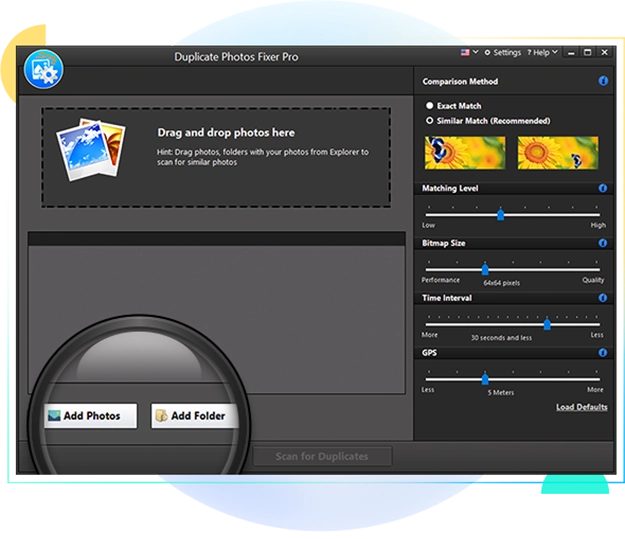
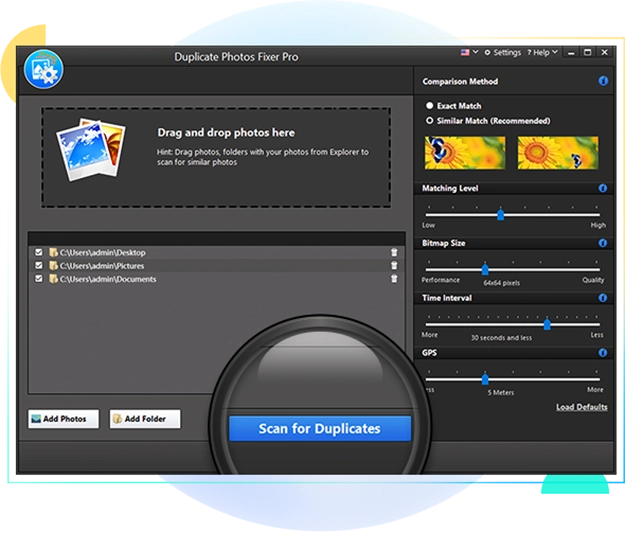
Delete Duplicate Photos in 3 Easy Steps!
Get rid of duplicate and similar-looking photos in 3 easy steps — 'Select,' 'Scan,' and 'Delete'.
WHAT USERS SAY
Real Results From Real Users
"DPF helped me to recover more than 20GB of space on my hard drive. It not only detects same photos but similar ones that were taken seconds apart."
"Duplicate Photos Fixer Pro has been nothing less of a saviour for me. This is the best duplicate photo cleaner one can get their hands on."
"Photos in my hard drive now looks sorted after deleting enough duplicate images using DPF. It finds the right matches and is easy to adjust."
Frequently Asked Questions
Have Questions? Here We Are To Help!
To remove duplicate photos, add a folder or a collection of images to Duplicate Photos Fixer Pro's scan list and run a scan; the software will search for duplicate and similar-looking photos. You can delete the duplicate photos after reviewing them.
Never. Duplicate Photos Fixer Pro works entirely on your device. No internet connection is needed after download, and your photos never leave your computer. The scanning and comparison all happens locally.
Duplicate Photos Fixer Pro supports multiple image formats, including JPG, JPEG, PNG, TIFF, GIF, BMP, RAW, PSD, HEIC, and HEIF; so whether your collection is everyday phone snapshots, professional camera files, edited images, or the high-efficiency formats from newer devices, nothing gets left out of the scan. Find and remove duplicate and similar-looking photos across your entire library, and free up the disk space those extra files have been holding hostage.
Yes, you can remove upto 15 duplicate photos for free with this free duplicate photo finder software.
Yes, Duplicate Photos Fixer Pro is one of the best duplicate photo cleaner for Windows. It is compatible with Windows 11/10/8.1/8/7 (Both 32 & 64 Bit)
Yes. Photos that have slightly been edited are detected as identical photos. These photos can have a different contrast, color or brightness level. Duplicate Photos Fixer Pro will detect such photos and will categorize them as identical.
Photos shot in quick succession in burst mode, slightly photoshopped photos, photos having a different contrast, color or brightness level, identical photos clicked within the last 24 hours are shown in similar image search.
Photos cleaned are not deleted from the system. They are only sent to trash from their actual location. However, you can recover these photos back from trash. For best results, it is recommended that you delete these photos from trash as well to save disk space.
Try Duplicate Photos Fixer Pro for Free and
Manage Your Photos in 3 Easy Steps!

For Windows 11, 10, 8.1, 8 and 7 (32 & 64 Bit)


